

Have you noticed how clear and in-focus our iPhone photos are?
Have you ever wondered how Apple does it?
Should we just attribute it to magic?
Apple tells you that is uses Computational Photography. So I asked Google to search for the term “Apple Computational Photography” and it gave me the following summary, created by its Artificial Intelligence (AI):
Apple’s Computational Photography uses advanced software, AI (like its Neural Engine), and custom hardware (ISP) to merge multiple frames, balance light/dark, apply depth mapping for Portrait Mode, and enhance details, resulting in richer photos with better dynamic range, sharpness, and low-light performance (Night Mode), powered by algorithms like Deep Fusion and Photonic Engine, fundamentally changing how iPhones capture images.
Key Techniques & Features:
Smart HDR: Combines multiple exposures instantly to balance bright highlights and deep shadows, creating well-exposed images.
Deep Fusion: Analyzes multiple frames pixel-by-pixel to optimize texture and detail, especially in mid-to-low light.
Photonic Engine: Extends Deep Fusion’s benefits to earlier stages of the imaging pipeline, improving color and detail in challenging light.
Night Mode: Uses long exposures and fusion to brighten dark scenes, capturing more detail and color.
Portrait Mode: Creates depth maps and bokeh effects (blurred backgrounds) using dual lenses and AI, mimicking professional cameras.
Semantic Segmentation: Analyzes subjects (skin, hair, foliage) and applies tailored processing for lifelike accuracy.
Super Resolution: Fills in missing data when zooming for clearer images.
How it Works:
Capture: The sensor takes multiple images at different exposures and focus points.
Analyze: The A-series chip’s Neural Engine and ISP analyze content, identify subjects, and assess lighting.
Merge/Process: Algorithms fuse these frames, apply localized enhancements, denoise, sharpen, and adjust colors.
Output: A single, highly processed, beautiful image is presented to the user, often in real-time.
Impact:
It moves beyond simple optics, using powerful computation to overcome hardware limitations, making great photography accessible but sometimes leading to debates about over-processing or naturalness.
I read the above and learned a lot about Apple’s approach to photography. WOW!
The top-most answer in Google search these days is an AI Summary. Other chatbots such as OpenAI’s chatGPT, Anthopic’s Claude, etc., lit a fire under Google which was considered behind in the AI race. They caught up and surpassed the others. They seem to be at the top of the leaderboard of AI tools.
To be truthful to my readers, I subscribe to Google Gemini and associated AI products.
I wanted to show you how I research a topic such as “Apple Computational Photography”. I fire up, in my browser, another Google tool called NotebookLM. There are iOS apps for the iPhone and iPad, and I suspect that the Android store has them as well.
Let’s start with the NotebookLM interface shown below:
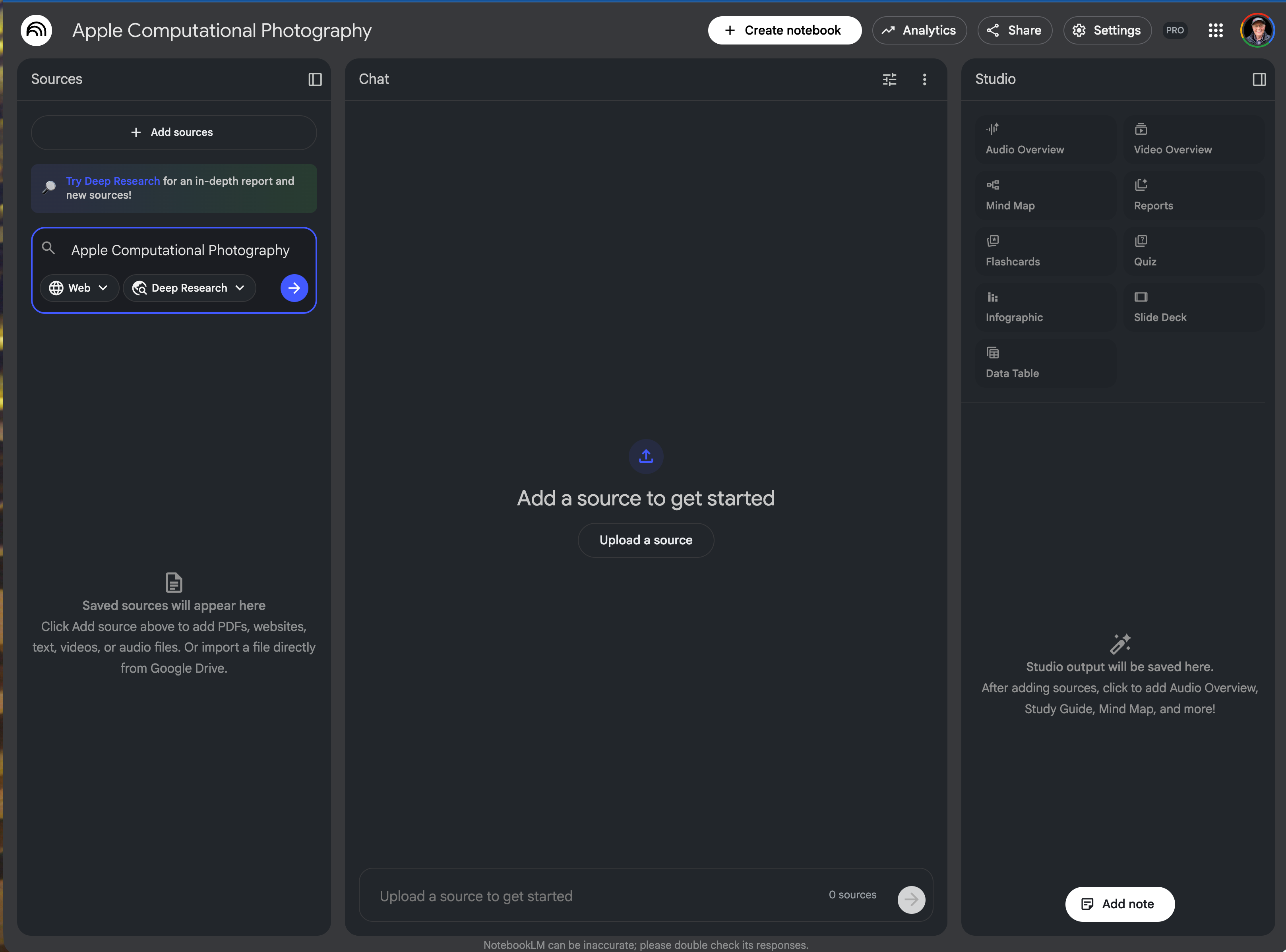
I have already named the notebook as “Apple Computational Photography” and have requested a “Deep Research” into the topic. While we wait for it to perform its Deep Research, we can look at the sources panel.
Here is what the “Add a source to get started” panel looks like:
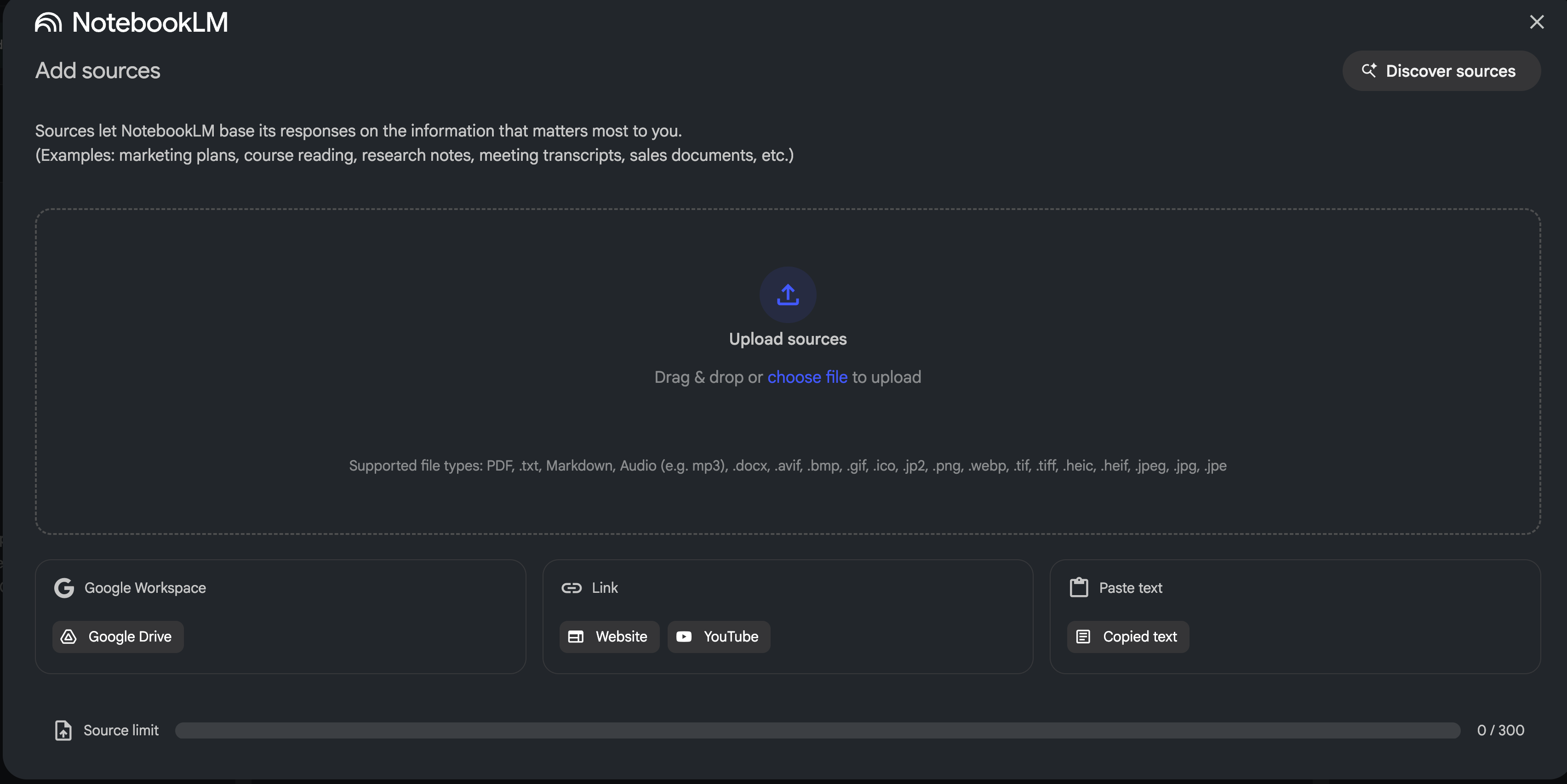
The beauty here is the vertical integration of Google products, so we can add YouTube URLs, Web pages, a folder from your Google Workspace or Drive, etc.
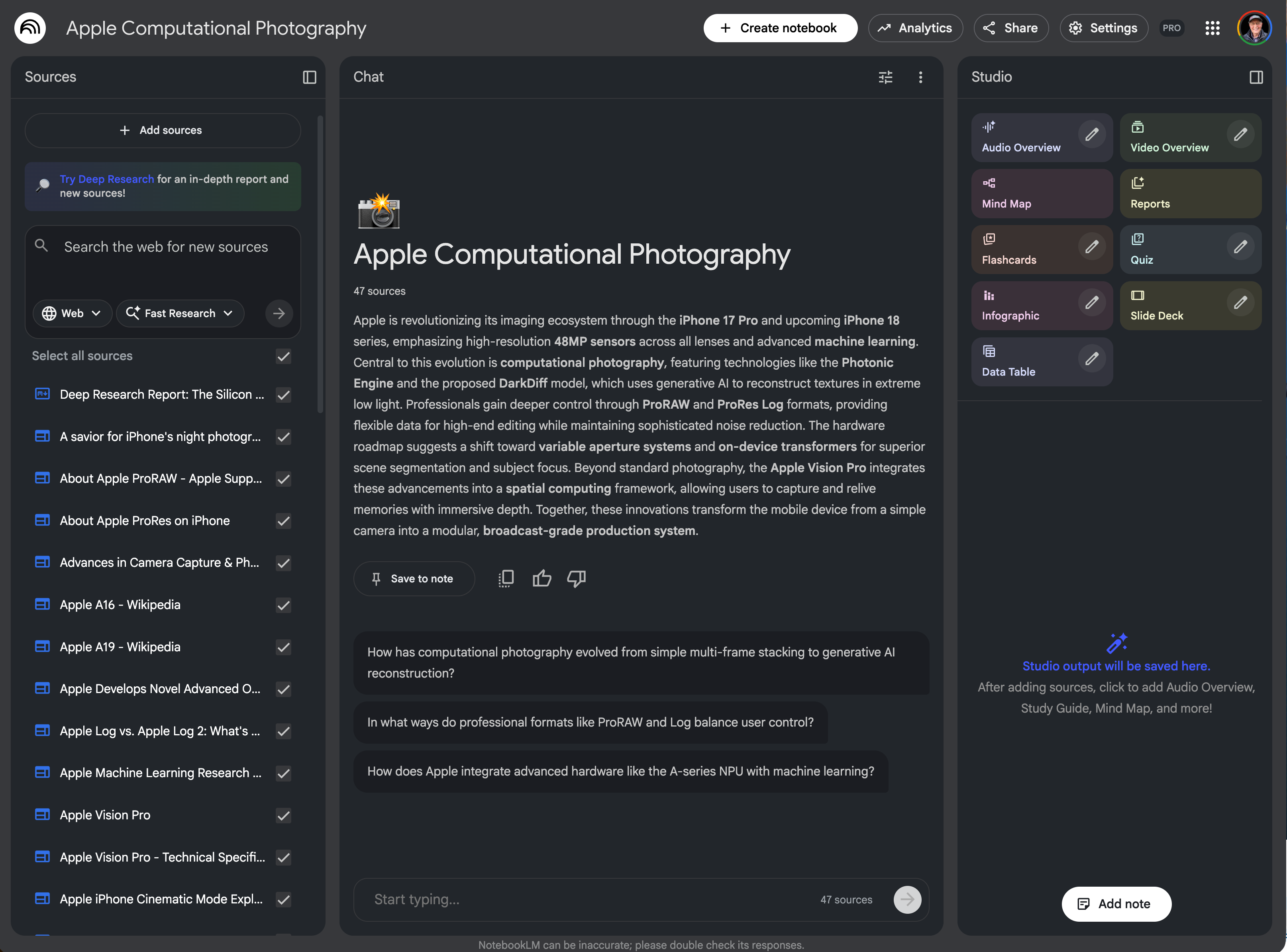
In my case, I let the system perform a Deep Research into the topic and it came back with over 40 web references which I imported as shown below on the left-hand-side. The middle portion under the Apple Computational Photography is a one-paragraph synopsis of the information found in the sources. Below that are some text prompts that we can ask of the sources. However, the Studio panel on right-hand-side is, to me, the most interesting aspect of the NotebookLM tools.
One can ask NotebookLM to generate Audio and Video Overviews, Mind Map, Reports, Flashcards, Quiz, Infographic, Slide Deck and Data Table. I especially like the Audio Overview, the Mind Map, Reports, Infographic, and Slide Deck.
I am sharing my NotebookLM with you: Larry's notebook on “Apple Computational Photography". I will let you explore the notebook for yourselves, but I do want to point out one feature that ‘blew me away”, the Audio Overview creates a podcast with two voices and you can interrupt the podcast to ask questions. Once you listen to the Audio Overview you will know more about “Apple’s Computational Photography” than you ever wanted to know.
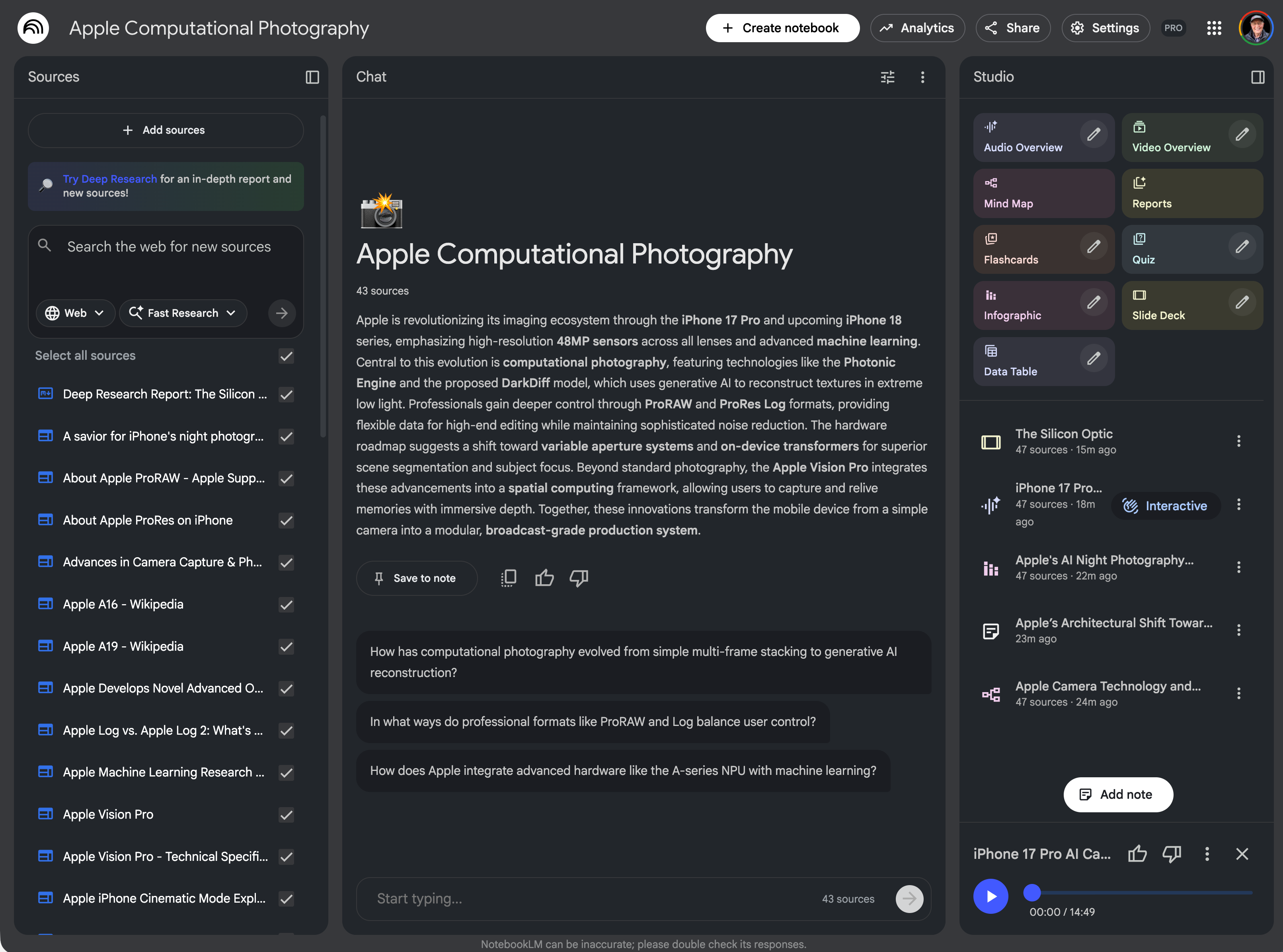
I also created a Slide Deck which it named :”The Silicon Optic”, an Audio Overview titled “iPhone 17 Pro AI Camera Deep Dive”, an Infographic called “Apple’s AI Night Photography Leap”. a Mind Map titled “Apple Camera Technology and Silicon Roadmap (2025-2026). I also added a note based on the abstract which it titled “Apple’s Architectural Shift Toward Professional Computational Imaging”.
Here is the image of the current NotebookLM:
I hope you will try Google’s AI suite and especially NotebookLM. It’s my go-to research tool, and I love the way you can import YouTube videos.
By the way, here is a YouTube video on NotebookLM that I found quite informative.