
Generative Artificial Intelligence in Photography
Can we trust our eyes to tell a real photograph from one enhanced by AI?

When we go to the movies or stream them at home, we know we are seeing a lot of special effects, and our brains combine Computer Generated Imagery (CGI) with the characters on-screen. I remember seeing my hero Tyrannosaurus Rex in the Jurassic Park film series. He looked so lifelike, and the children in the film were afraid for their lives. Rex is my hero because, in each Jurassic film, he dispatches the other dinosaurs who intend to harm humans.
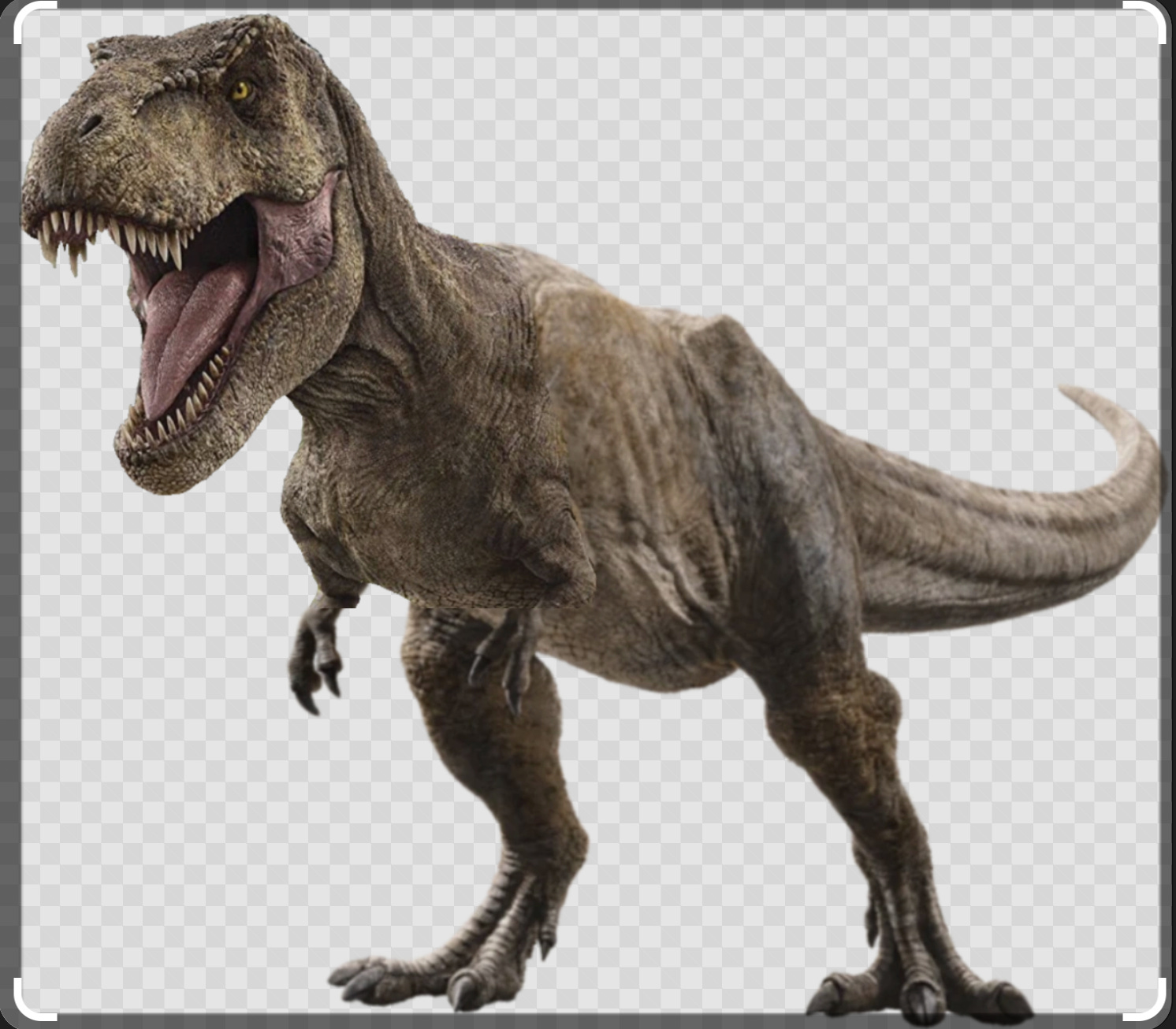
Well, we are here to discuss the dinosaur in the room: Generative AI and its effect on photography. Many companies are using AI in their editing suites, including Adobe, Luminar Neo, DxO, and Topaz. I have used all these programs and want to share my experiences.
Generative AI Tools
I am going to list some of the AI tools available in each program. Clearly, there is plenty of overlap, even though the names differ a bit.
Adobe’s Firefly
Firefly was launched in March 2023. It is designed for creative professionals and is available in the Creative Cloud suite (Photoshop, Lightroom, Illustrator, Adobe Express, and Premiere Pro). Adobe trains its Generative AI models on licensed content from Adobe Stock photos, as well as public-domain content whose copyright has expired.
Let’s discuss how Firefly is used in the apps we use the most: Photoshop and Lightroom.
Adobe Photoshop
The tools offered by Photoshop are: Generative Fill, Generative Expand, Neural Filters, Object Selection and Removal, and Sky Replacement.
Adobe Lightroom
The tools offered by Lightroom are: AI Denoise, AI Masking and Subject Selection, Adaptive Presets and Auto Settings, Lens Blur and Depth-Based Editing, Content-Aware Remove, and Smart Organization and Search.
For those of us who don’t like using keywords, Lightroom will begin rolling out intelligent search in which we can use natural language to describe the images we want to explore. For example, we will be able to ask for “images with motorcycles or bicycles”. We can think of this as a way to complement keywords or replace them altogether.
Luminar Neo
The tools offered by Luminar Neo are: Sky AI and Sky Replacement, Relight AI, Portrait Tools and Face ID, Atmosphere AI, Noiseless AI, and Structure AI.
Personal experience with these tools
Luminar Neo
Let’s look at Luminar Neo’s Sky AI and Sky Replacement tool, as I have first-hand experience with it.
Sky AI and Sky Replacement
This tool offers one of the most sophisticated sky editing systems available. The AI can detect skies with foreground such as tree branches and people. It has a library of sky replacements organized by weather conditions, time of day, and atmospheric effects. After a sky is replaced, the AI adjusts the lighting on the entire image, the color temperature, as well as the reflections of clouds in water.
I tried replacing a sky in Luminar Neo, and my friend and legendary photographer David Burnett noticed it right away.


Here is another, more dramatic example of a sky replacement. The original is on the left and the new sky and associated automatic edits are on the right. Note that Neo did not get the right-hand side of the image quite right.


More specialized software
DxO Software
DxO focuses on scientific rigor versus the razamataz approach of Luminar Neo. It tries to do one thing extremely well: denoise an image. It offers DxO PureRAW and DxO Photo Lab. The former is used to denoise an image, preferably a RAW image, while the latter supports image editing and sharpening. The editing is non-destructive because Photo Lab creates a separate file alongside the original image. Since DxO does not provide cataloging services, I use it with Lightroom, which handles my catalog.
Here, we focus on PureRAW. DxO’s AI technology is embedded in DeepPRIME and Deep/PRIME XD using neural networks trained on millions of image pairs at various ISO settings.
It operates at the demosaicing level – directly on RAW sensor data before RGB conversion – giving it an advantage over tools that denoise during post-processing. DeepPRIME XD goes a step further by extending to ISO settings to 25,600 and above. Another important feature is the camera/lens profiles, which are downloaded when a new camera/lens combination is detected in an image, and these camera settings address distortion, vignetting, and chromatic aberration. DxO PureRAW combines denoising and camera distortion correction and outputs the resulting images as TIFF, JPEG, DNG, and smart object files that can be imported into Lightroom and Photoshop.
DxO technology focuses more on computational photography rather than generative AI. However, I wanted to let my readers know about this fabulous product.
I used an image of flowers taken with my Hasselblad, shot at f/16, 1/30, ISO 25,600. The image shot at high ISO will have noise.
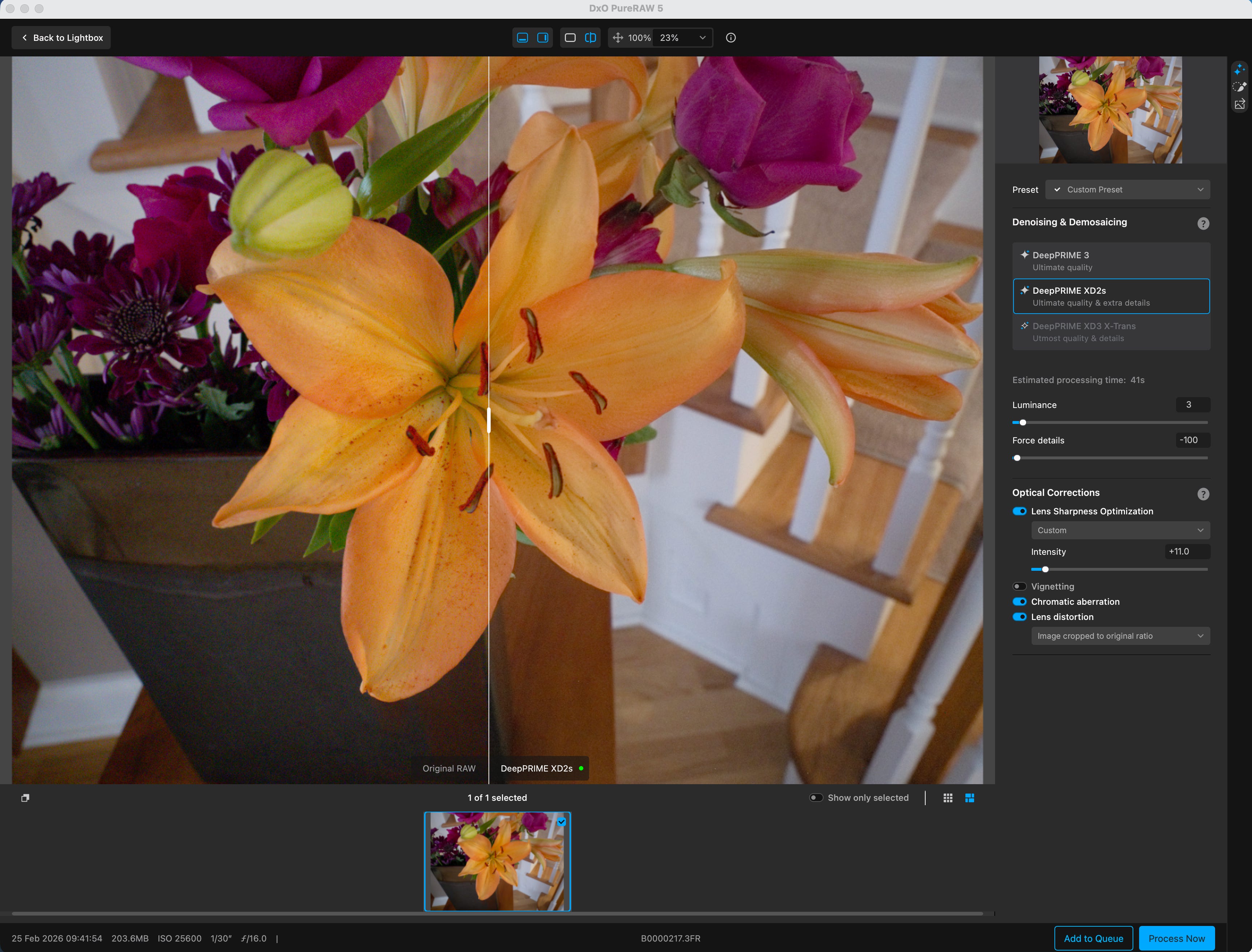
You really can’t see the noise in the photo until you magnify the image.
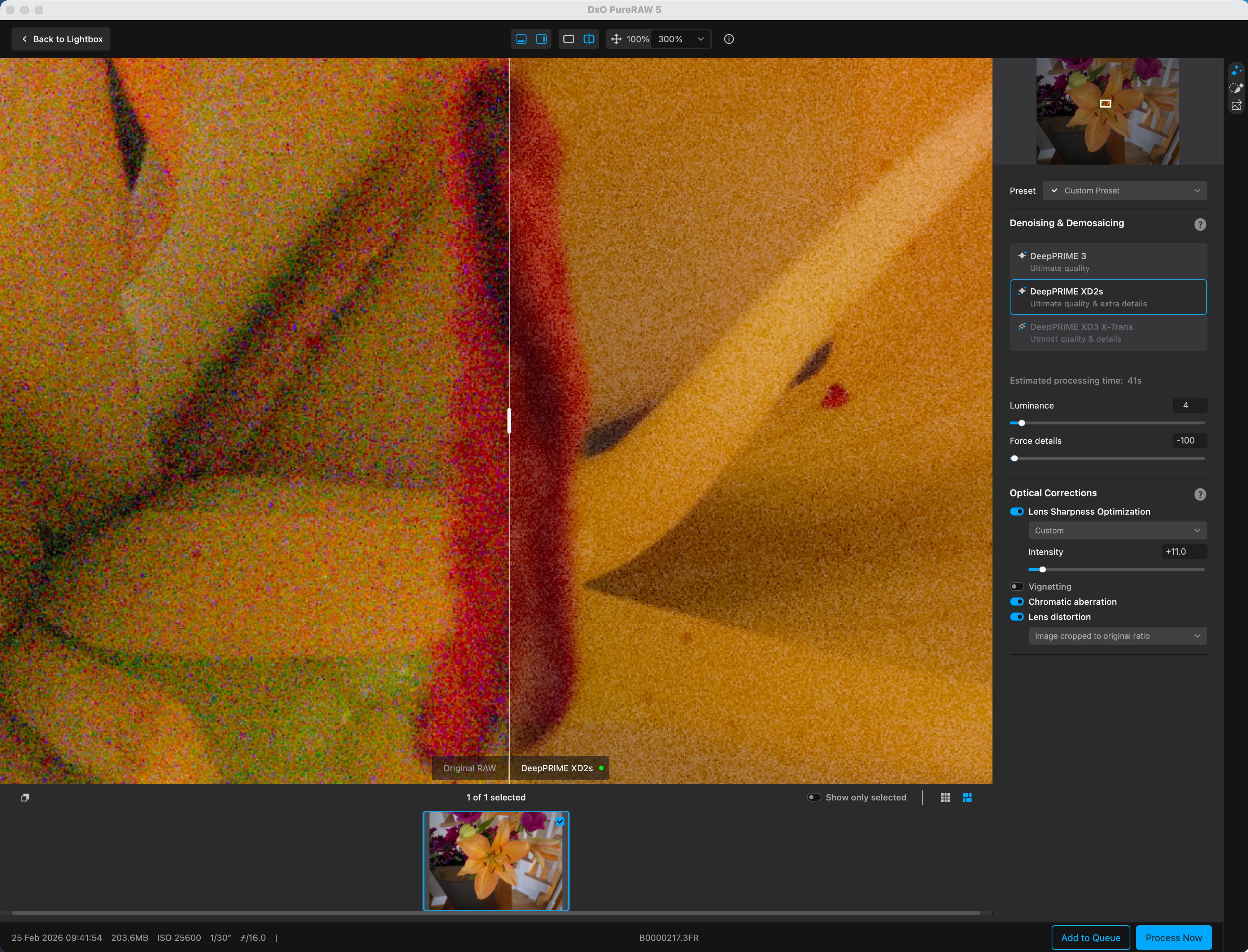
Here is the image magnified by 300%, showing the noise in the original on the left and the denoised version on the right. The white square in the image on the right side shows the area being shown in the main window.
Here is the final image imported automatically into Photoshop as a smart object.
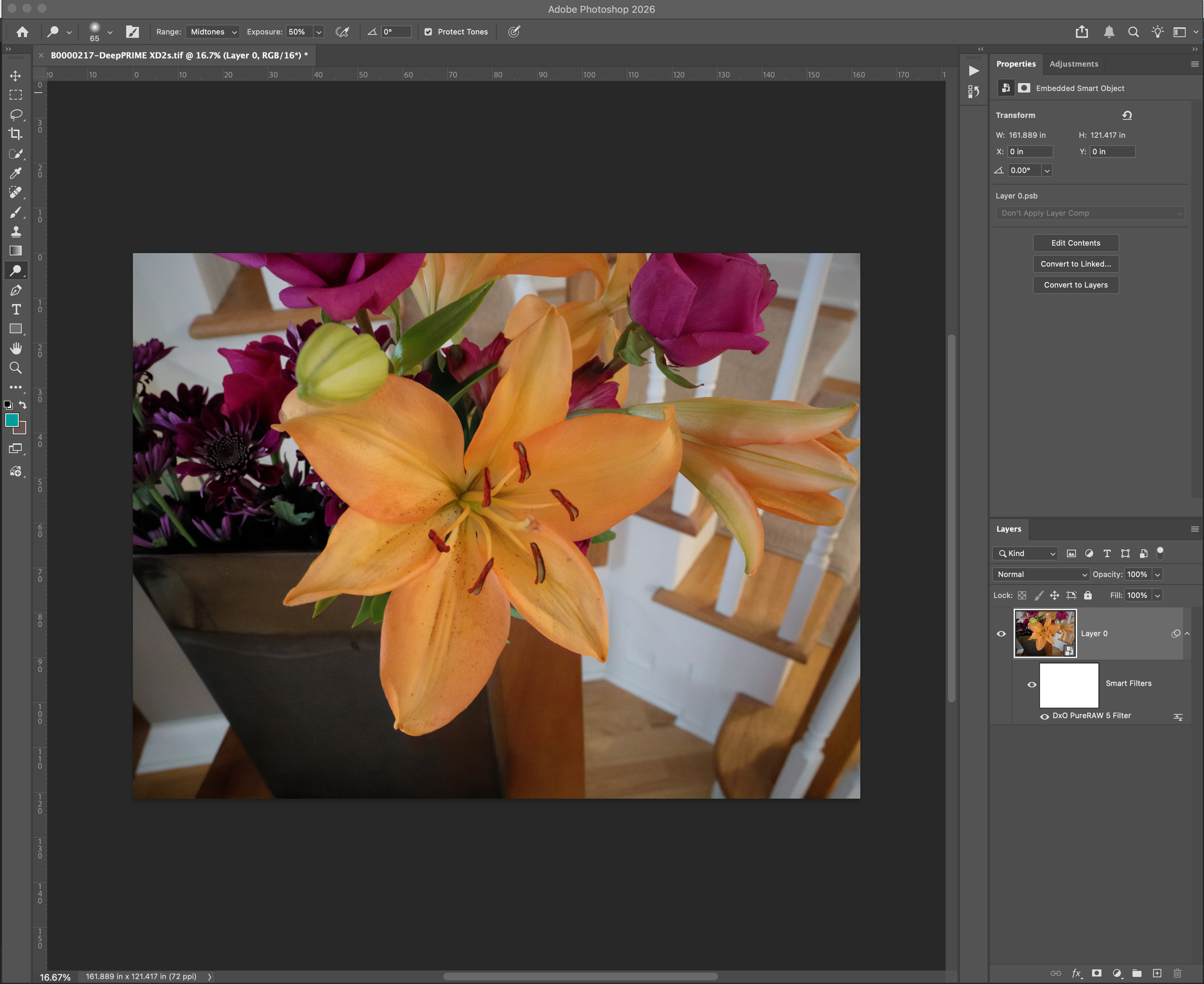
Final Denoised Image Imported as a Photoshop Smart Object.
Interestingly, the human eye expects some noise in a photo. There is a luminescence slider in DxO PureRAW, and that seems to affect the amount of noise that we can remove. If the slider is set too far to the right, noise is drastically reduced, but the photo looks flat and lifeless. I suggest adjusting the slider to reduce noise while maintaining image realism.
Topaz Photo AI
This is another indispensable program for your toolkit. It uses neural nets trained on large datasets of image pairs. Here are some of Topaz’s important features: Autopilot, Gigapixel AI, Sharpen AI, and Denoise AI.
The key distinction is that Topaz's AI is restorative and enhancing rather than generative. The goal is to improve existing images, not to generate new ones. But the models are trained with AI.
When I install a new version of the software, literally over 100 models (algorithms) are downloaded and installed. I use this program all the time, especially on old photographs that need enlarging and image sharpening.
Here is a photo taken about 25 years ago, together with the final image processed using Topaz Photo AI:


Conclusions
As photographers, we can choose how much generative AI we want to use. Personally, I like using it to eliminate unwanted objects such as power lines. I have even tried putting a cat into a scene, and have tried my hand at replacing a sky. The software I like includes Adobe Lightroom, both for catalog organization and photo editing; DxO PureRAW for denoising images before sending them to Lightroom; and Topaz Photo AI for restoring and resizing photos.
Note that these apps also have Lightroom plugins: Topaz AI and Topaz Labs Tools, Luminar Neo, and DxO PureRAW. Thus, you can use them as stand-alone apps or as plugins to Lightroom. You should think of DxO PureRAW as a pre-processing step, and then export the output file to Lightroom or Photoshop.
In addition, in Lightroom, you can send an image to Photoshop, edit it there, and then send it back to Lightroom.
Give generative AI a try and decide for yourself whether this technology is for you. I think it will eventually be seen as yet another tool available to us. You can use it sparingly or jump in with gusto; it’s your choice.
I would love to hear your stories about using this new technology.